Suika Game PC
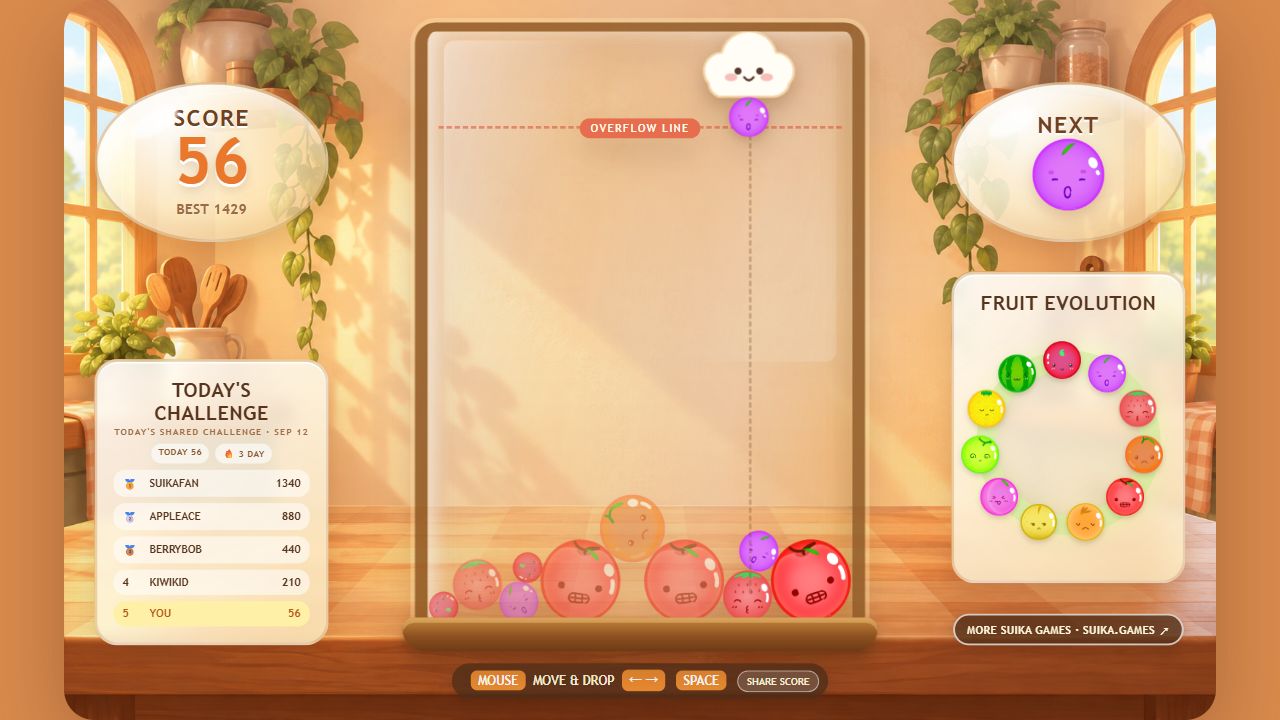
Play the classic Suika Game directly in a desktop browser, with precise keyboard and mouse controls, a wide game view, fullscreen support, and no download required.
Why Play Suika Game PC?
Classic browser gameplay with desktop keyboard, mouse, and fullscreen controls
Classic Browser Physics
The same Matter.js fruit collisions used by the classic page run directly in the browser, with no separate PC rules or altered evolution chain.
Keyboard & Mouse Controls
Aim with the mouse or nudge the drop position with A / D or the Arrow keys, then click, press Spacebar, or use Down Arrow to release the fruit.
Wide View & Fullscreen
A desktop display leaves more room around the container, while fullscreen keeps the drop guide, next fruit, score, and evolution chart easy to read together.
No-Download Desktop Support
Play without a launcher or emulator in current browsers on Windows, macOS, Linux, and ChromeOS; performance depends on the device and browser.
Desktop PC Controls & Key Mapping
Use these keyboard shortcuts alongside the standard mouse controls:
A / Left Arrow (←)
Nudge dropper cloud left with micro-pixel stepping precision.
D / Right Arrow (→)
Nudge dropper cloud right toward side-wall anchors.
Spacebar / Down Arrow (↓)
Instant drop fruit straight down the trajectory guide.
R Key
Instant quick restart without reloading the webpage.
What Changes When You Play Suika Game on PC?
The fruit rules stay the same as the classic version. The practical differences are the available controls and the amount of screen space around the board:
1. An Uncovered View of the Board
A mouse pointer or keyboard input occupies less visual space than a finger over the play field, so small gaps remain easier to see while aiming.
2. Repeatable Keyboard Nudges
The Arrow or A / D keys move the dropper in fixed steps. Spacebar then releases the fruit without requiring another pointer movement.
3. More Room for Supporting Information
The wider layout keeps the score, next-fruit preview, daily challenge, and full evolution ring visible beside the container.
Frequently Asked Questions
Answers about desktop controls, browser support, and performance:
Yes. The classic browser game on this page can be played without downloading an app or creating an account.
Use A / D or Left / Right Arrows to steer the cloud, Spacebar or Down Arrow to drop, and R to instantly restart a fresh run.
Close heavy browser tabs, update the browser, and avoid battery-saving modes that limit animation performance. Browser hardware acceleration may improve canvas rendering on some systems, but the physics calculation still runs in JavaScript.
It runs in current ChromeOS browsers, although access and performance can vary by device, browser policy, and network settings.
Keep playing
More ways to play on desktop
Play Classic Suika
Return to the original fruit-merging game.
Complete Controls Guide
Review mouse, keyboard, and touch controls.
Try Time Attack
Practice fast, accurate drops against the clock.
Play Suika Game 3D
Try spatial fruit stacking built for a wider view.